A gaming desk under $200 can be a good buy, but the best choice is rarely the one with the loudest lighting or the longest feature list. At this price, the desk has to earn its place by fitting your room, supporting your monitor setup, giving cables somewhere to go, and leaving enough surface space for normal play.
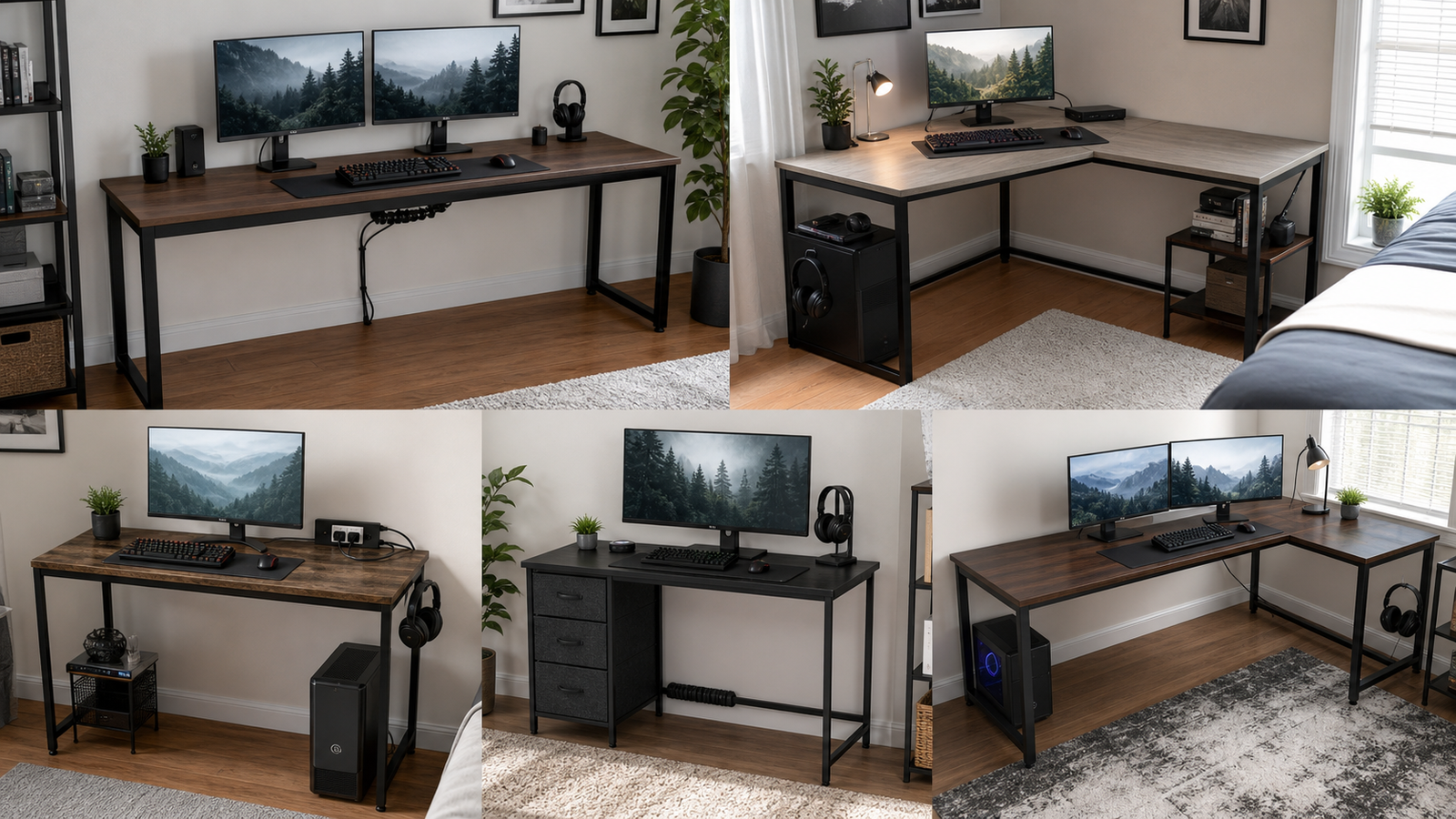
The five picks below cover the most common budget setups: a wide straight desk, a compact corner desk, a small desk with built-in power, a storage-heavy desk, and a larger L-shaped option. The right one depends more on your room and gear than on the word “gaming” in the product name.
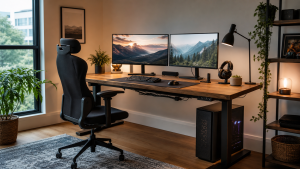
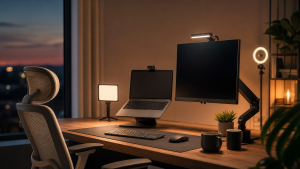
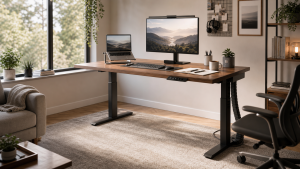
Quick Picks
| Pick | Best for | Why it stands out | Main tradeoff |
|---|---|---|---|
| Huuger 63-Inch Computer Desk | Wide simple setups | 63-inch surface, 23.6-inch depth, clean legroom, and a straightforward metal-frame design | No built-in power or real drawer storage |
| OLIXIS 50-Inch L-Shaped Desk | Small bedrooms and corners | Compact L shape, reversible shelf, and side pocket without taking over the room | Less comfortable for wide dual-monitor setups |
| TIQLAB 40-Inch L-Shaped Gaming Desk | Tight spaces that need charging | Built-in AC outlets, USB, Type-C, and two-tier shelves | The 40-inch size is best for one main monitor |
| DLisiting 55-Inch Desk With Fabric Drawers | Budget storage | Fabric drawers help hide controllers, cables, notebooks, and small accessories | Fabric drawers should not be treated like wooden drawers |
| AODK 61-Inch L-Shaped Desk With 4 Drawers | Larger corner setups | 61-inch L shape, four drawers, hooks, power, USB, and a host stand | More parts to assemble and more room planning required |
What to Expect Under $200
Under $200, most gaming desks are made from engineered wood or particleboard tops with metal frames. That is not automatically bad. Plenty of these desks are useful for a monitor, keyboard, mouse, headset, and a modest PC setup. The tradeoff is that they should be judged as practical budget furniture, not as premium workstation platforms.
The most important specs are width, depth, layout, and cable access. Width tells you whether your monitor, speakers, and tower can sit comfortably. Depth decides whether your screen sits too close to your face. Layout decides whether the desk fits a wall or corner. Power outlets and USB ports can be genuinely useful, but they are not a replacement for a proper surge protector.
Storage also needs realistic expectations. Fabric drawers are good for hiding lightweight accessories, controllers, cables, and stationery. They are not the same as rigid wooden drawers, and they should not be overloaded with heavy gear. L-shaped desks add surface area, but they also add more parts, more seams, and more assembly decisions.
The best budget desk is the one whose compromises match your room. A simple wide desk can be better than a feature-packed corner desk if you use two monitors. A compact L-shaped desk can be better if the alternative blocks a closet, bed, or door.
How We Chose
The main filters were usable surface area, desk depth, small-room fit, storage, outlet placement, monitor setup, assembly risk, and whether the desk still makes sense after the first week of use. A budget gaming desk has to survive ordinary daily friction: keyboard movement, mouse swipes, a headset cable, a charger, a drink, a controller, and a PC tower that needs airflow.
The comparison also separates product facts from owner-experience evidence. Product pages can tell you the dimensions, outlet count, shelves, drawers, and stated load. They cannot tell you whether a desk will feel cramped in a real bedroom or whether the instructions will be easy to follow. That is where owner discussions are useful, especially around assembly, stability, and missing manuals.
No desk here is treated as perfect. Each one is matched to a specific setup, because a $200 desk is usually a targeted fix rather than a forever purchase.
Best Wide Simple Desk: Huuger 63-Inch Computer Desk
The Huuger 63-inch computer desk is the easiest recommendation if you want one wide, simple surface under $200. Its 63-inch width gives a dual-monitor setup more room than many compact L-shaped desks, and the 23.6-inch depth is more comfortable than the shallow tops often found on small gaming desks.
This desk makes the most sense when you already have your own cable tray, power strip, monitor arm, or desktop organizer. It does not try to solve everything with shelves and drawers. Instead, it gives you a straightforward rectangular work surface with open legroom, which is often better for long gaming sessions and mixed work use.
The visible Amazon listing signal is strong for this price range: 4.6 out of 5 stars from 2,699 ratings was shown when checked. That does not mean every buyer will love it, but it does suggest the desk is not an obscure no-feedback listing. The better reason to choose it is still the size. A 63-inch top gives you freedom to place a tower, speakers, controller dock, or second monitor without turning the whole setup into a puzzle.
The tradeoff is storage. If you need drawers, shelves, and built-in power, Huuger is plain. You will need to add your own cable clips, tray, or under-desk organizer. That is not a weakness if you prefer a cleaner desktop. It is a problem only if you expect the desk to organize your setup by itself.
Best Compact L-Shaped Desk: OLIXIS 50-Inch L-Shaped Desk
The OLIXIS 50-inch L-shaped desk is the better fit for a small bedroom, apartment corner, or first gaming setup where floor space matters as much as desktop space. A compact L shape can make a room feel more usable because the side return gives chargers, notebooks, controllers, or a small speaker somewhere to sit without widening the main desk.
Its reversible shelf and side storage pocket are practical touches. They let you adapt the desk to the room instead of forcing the room to match the desk. That matters if the desk sits near a bed, closet, radiator, window, or door swing.
The main limitation is monitor space. A 50-inch corner desk can work well with one monitor and a laptop, or with two smaller displays arranged carefully. It is less comfortable if you want a large ultrawide, big speakers, a full tower on top, and a broad mouse area. In that case, a simpler wide desk like the Huuger may feel less cramped even though it has fewer built-in features.
This is the desk to consider when the room is the constraint. It gives you the gaming-desk layout without making the setup feel oversized.
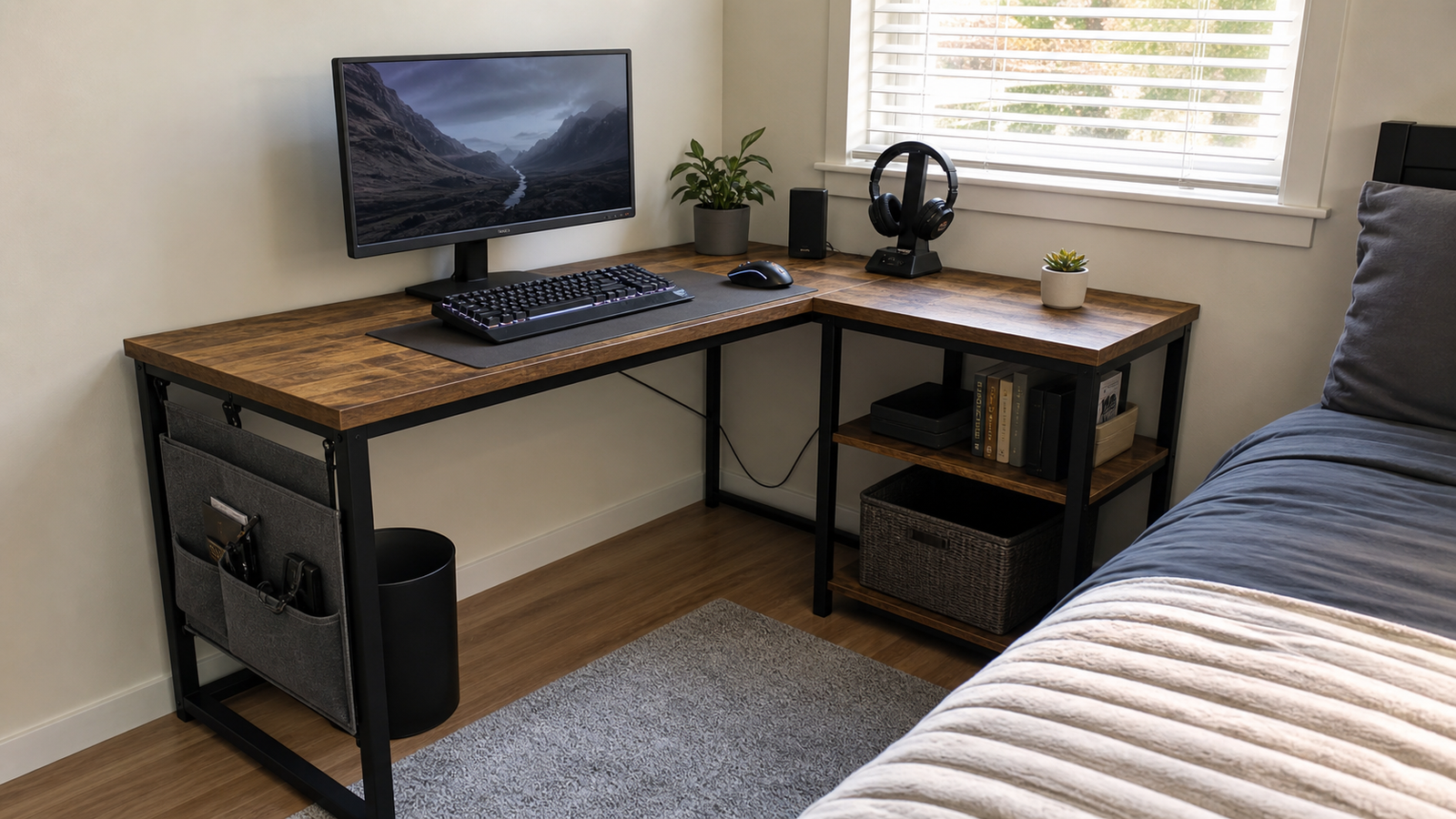
Best Small Desk With Power: TIQLAB 40-Inch L-Shaped Gaming Desk
The TIQLAB 40-inch L-shaped gaming desk is built around convenience. Its product page describes two AC outlets, one USB port, one Type-C port, two-tier shelves, a reversible L-shaped layout, and a stated 220-pound static load. For a tight corner, those features can make daily use easier than a larger plain desk with cables running everywhere.
The best use case is a single-monitor gaming setup with a console, laptop, router, or charger nearby. Built-in power is helpful when the wall outlet is awkwardly placed or when you do not want a power strip sitting on the floor. The shelves can hold small accessories, but they should be planned carefully so the desk does not become crowded.
The 40-inch size is the key constraint. It is not the desk for a large dual-monitor layout or an oversized mousepad plus speakers plus a tower on top. It is a compact desk with power, not a hidden premium battlestation.
Indexed Reddit discussion around TIQLAB-style desks focuses on the same practical question: whether the built-in outlets and compact gaming features are more useful than a simpler furniture-store desk. That is the right way to think about it. Buy it because the outlets and L shape solve your room, not because it has the biggest desktop in this list.
Best Storage Pick: DLisiting 55-Inch Desk With Fabric Drawers
The DLisiting 55-inch gaming desk with fabric drawers is for buyers whose setup gets messy fast. Controllers, cables, notebooks, remotes, chargers, spare keycaps, USB drives, and desk tools all need somewhere to go. Fabric drawers are a simple way to hide that clutter without paying for a heavier furniture-style desk.
The 55-inch width is also useful. It gives more room than a very compact corner desk while keeping the layout simple enough for a bedroom or apartment. If you use one monitor and want the rest of the surface for a keyboard, mouse, and accessories, the size is workable.
The tradeoff is drawer strength. Fabric drawers are convenient, light, and inexpensive, but they are not meant for heavy books, dense electronics, or anything you would normally put in a solid wooden drawer. Treat them as soft storage for lightweight items and they make sense. Treat them like built-in cabinets and they will disappoint.
This pick is strongest when the desk needs to keep a budget setup visually cleaner. If you already have separate storage or prefer an open leg area, the Huuger is the cleaner option.
Best Larger L-Shaped Pick: AODK 61-Inch L-Shaped Desk With 4 Drawers
The AODK 61-inch L-shaped desk is the most feature-heavy pick here. It combines a larger corner layout with four drawers, hooks, a host stand, built-in power, and USB. For the price, that is a lot of utility in one package.
This desk is useful when you want a gaming area and a second zone on the same surface. The main side can hold your monitor, keyboard, and mouse, while the return can handle a laptop, console, notes, controller dock, or charging area. The drawers help if you do not want every accessory visible.
The real-world caution is assembly. A Reddit HelpMeFind thread from a buyer of the AODK 61-inch four-drawer desk centered on not being able to find the instructions after contacting the seller, Amazon, and the company. That does not mean every buyer will have the same problem, but it is a useful reminder: this desk has more parts than a plain rectangle. Keep the manual, sort hardware before tightening everything, and do not throw away packaging until the desk is fully assembled.
Room planning also matters. A 61-inch L-shaped desk can look compact in a product image and still dominate a small room once a chair, tower, and walkway are included. Measure both walls, not just the long side.
Comparison Table
| Desk | Layout | Best setup | Power/storage | Watch out for |
|---|---|---|---|---|
| Huuger 63-Inch Computer Desk | Straight desk | Wide dual-monitor or mixed work/gaming setup | No built-in power; open legroom | Needs separate cable and storage accessories |
| OLIXIS 50-Inch L-Shaped Desk | Compact L shape | Small bedroom corner | Reversible shelf and side pocket | Not ideal for wide monitor layouts |
| TIQLAB 40-Inch L-Shaped Gaming Desk | Small L shape | Single-monitor corner setup | AC outlets, USB, Type-C, shelves | Surface space is limited |
| DLisiting 55-Inch Desk With Fabric Drawers | Straight desk with storage | Budget setup with clutter | Fabric drawers | Drawers are for lightweight items |
| AODK 61-Inch L-Shaped Desk | Larger L shape | Corner setup with accessories | Four drawers, hooks, power, USB | More assembly and room planning |
Room Fit, Monitor Setup, and Cable Management
Before buying, measure the room with the chair pulled out. Many desk mistakes happen because buyers measure only the wall, not the real footprint of the setup. A gaming chair, PC tower, trash bin, backpack, and cable slack can make a desk feel larger than the product dimensions suggest.
Desk depth matters as much as width. A shallow desk can force the monitor too close, especially with a large screen. If you use a monitor arm, check whether the clamp can attach safely and whether the desk has enough depth for the arm to move without pushing the screen into your face.
Cable management is also different under $200. Built-in outlets are convenient, but cables still need a path. A small desk with outlets can look messy if the monitor brick, router cable, and PC cables have nowhere to go. A plain wide desk can look cleaner if you add a simple cable tray and clips.
For a tower PC, decide early whether it will sit on the floor, on a host stand, or on the desktop. Putting a tower on top of a compact desk can erase the space you thought you were buying.
Common Budget-Desk Mistakes
The first mistake is buying by looks only. LED lighting, carbon-fiber texture, and aggressive shapes do not matter if the desk is too shallow for your monitor or too narrow for your mouse movement.
The second mistake is treating every L-shaped desk as a space saver. An L shape can be excellent in the right corner, but it can also block a walkway or make a small room harder to move through. Sketch the room before buying.
The third mistake is expecting fabric drawers to act like furniture drawers. They are useful for lightweight clutter, not heavy gear. If storage strength matters, look for a different style of desk or add a separate drawer unit.
The fourth mistake is ignoring assembly. Budget desks can have many screws, reversible parts, and small alignment decisions. Sort the hardware, build on a soft surface, and do not fully tighten the frame until the main parts are aligned.
The final mistake is skipping cable planning. Even a desk with built-in outlets needs a safe route to the wall. Avoid stretching cables tightly, and leave enough slack if you plan to move the desk for cleaning.
FAQ
Is a gaming desk under $200 worth it?
Yes, if you match the desk to a realistic setup. Under $200, you can get a useful surface, L-shaped layout, storage, or built-in power, but not usually premium materials and flawless cable management in one desk. Focus on fit, depth, and layout before extra gaming features.
What size desk should I get for gaming?
For one monitor, a 40-50 inch desk can work if the room is tight. For dual monitors, a 55-63 inch desk is more comfortable. Depth matters too: a desk around 23-24 inches deep is usually easier to live with than a very shallow gaming desk.
Are built-in power outlets worth it?
Built-in outlets are worth it when the wall outlet is far away or the desk sits in a corner. They are convenient for chargers, lamps, and small accessories. For a full PC setup, still use proper surge protection and avoid overloading the built-in strip.
Is an L-shaped desk better for a small room?
Sometimes. An L-shaped desk can turn an unused corner into a better gaming area, but it is not automatically smaller. Measure both walls and chair clearance. If the corner is cramped, a simple straight desk may feel cleaner and easier to use.
Final Verdict
For most people shopping under $200, Huuger 63-Inch Computer Desk is the safest pick because the wide, simple surface works with more monitor layouts. Choose OLIXIS 50-Inch L-Shaped Desk if the desk has to fit a small corner, and choose TIQLAB 40-Inch L-Shaped Gaming Desk if built-in power is the main daily convenience. DLisiting 55-Inch Desk With Fabric Drawers is the practical choice for clutter, while AODK 61-Inch L-Shaped Desk With 4 Drawers gives the most features if you have the room and patience for assembly.